
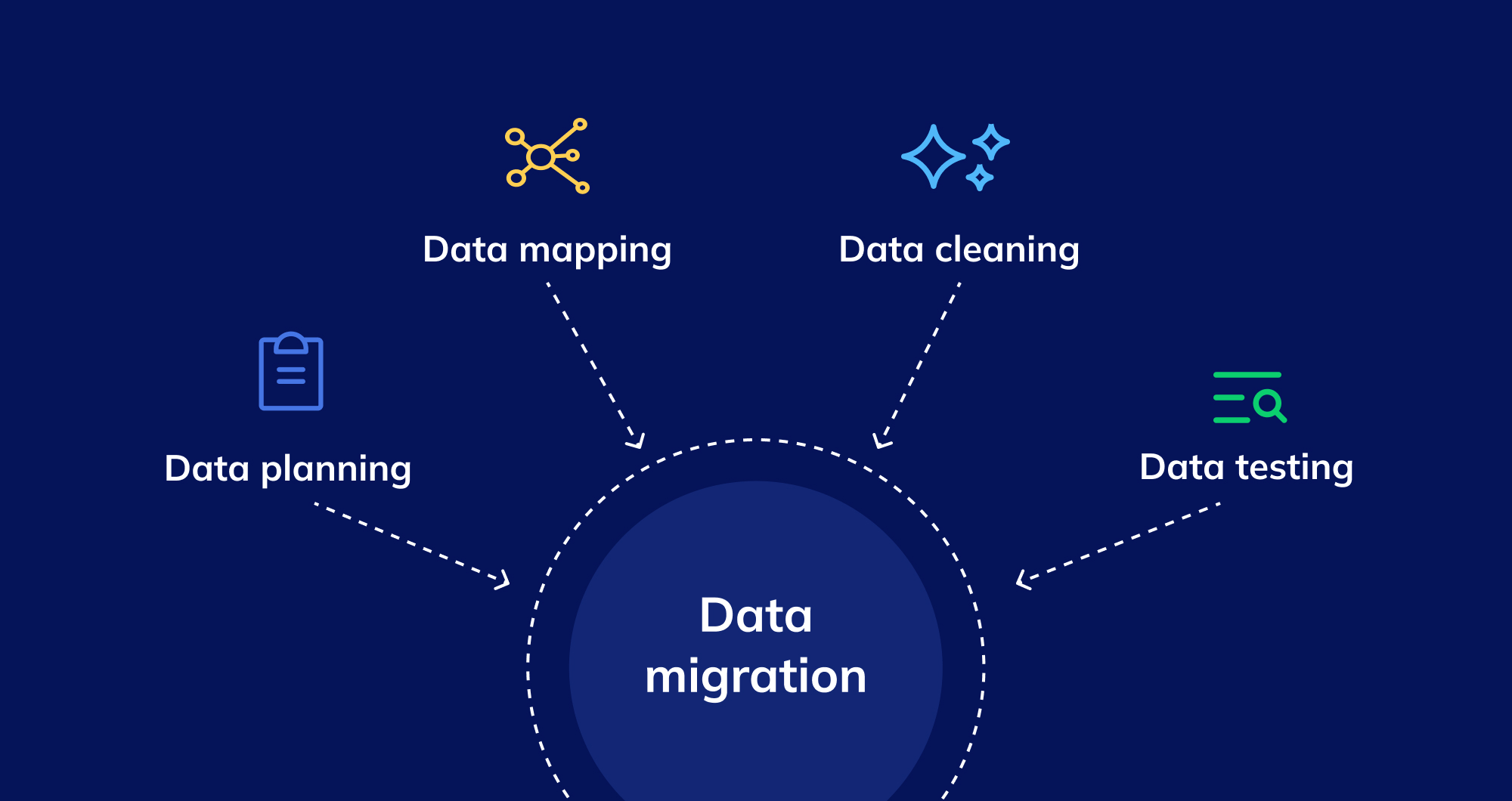
ERP data migration is one of the most critical stages of an Enterprise Resource Planning implementation. Businesses moving from legacy systems to modern ERP platforms must transfer essential information, including customer records, supplier details, financial transactions, inventory data, product information, and operational records. If this information is inaccurate, incomplete, or poorly structured, it can affect business operations long after the migration is complete.
Many organisations underestimate the complexity of ERP data migration. They focus on selecting the new software and configuring its features but overlook data quality, field mapping, system compatibility, validation, and employee involvement. These gaps can lead to reporting errors, delayed transactions, inaccurate inventory, compliance concerns, and unexpected implementation costs.
A structured data migration strategy helps businesses reduce these risks and maintain continuity during the transition. Organisations planning an ERP upgrade should also understand how their migration strategy fits into their broader ERP solutions and business process requirements.
This guide explains 10 common ERP data migration problems, why they occur, and the practical steps businesses can take to avoid them.
What Is ERP Data Migration?
ERP data migration is the process of transferring business information from an existing system into a new or upgraded ERP environment. The process may involve moving data between two ERP platforms, migrating from spreadsheets and disconnected applications, or transitioning from an on-premises system to a cloud-based solution.
Typical data categories include:
- Customer and supplier records
- Product catalogues and item master data
- Inventory quantities and warehouse locations
- Financial balances and transaction history
- Sales orders and purchase orders
- Bills of materials and production records
- Employee and user information
- Pricing structures and tax classifications
- Contracts, documents, and historical reports
ERP data migration generally involves data extraction, profiling, cleansing, transformation, mapping, loading, validation, and reconciliation.
The objective is not simply to copy information into a new database. Businesses must ensure that migrated data remains accurate, complete, consistent, accessible, and usable within the new ERP system.
For organisations managing multiple applications, migration may also require changes to data structures and system integrations. Reviewing the existing technology environment and identifying the need for custom business software can help businesses plan for these requirements before the migration begins.
Why Is ERP Data Migration Important?
ERP systems connect multiple business functions through shared data. Finance relies on accurate transaction records, sales depends on customer and pricing information, procurement needs reliable supplier details, and warehouse teams require correct stock quantities.
When information is transferred incorrectly, errors can spread across departments.
For example, an incorrect product unit of measure can affect inventory calculations, purchase orders, production planning, and customer deliveries. Similarly, inaccurate customer balances can create discrepancies in financial reporting and payment reconciliation.
A successful migration helps businesses:
- Maintain accurate financial and operational records.
- Reduce duplicate data and manual corrections.
- Improve inventory and order accuracy.
- Preserve important historical information.
- Maintain reliable reporting and analytics.
- Reduce disruption during ERP implementation.
- Establish a consistent source of business information.
- Support future automation and system integration.
Data migration should therefore be treated as a business-critical project rather than a purely technical task.
10 Common ERP Data Migration Problems and How to Avoid Them
1. Poor Data Quality in the Existing System
Poor data quality is one of the most common ERP data migration problems. Over time, business databases accumulate duplicate records, outdated information, incomplete fields, inconsistent naming conventions, and incorrect values.
For example, the same supplier may appear under different names, or one product may have multiple item codes across departments. When these records are migrated without correction, the new ERP inherits the same problems.
Poor-quality data can affect purchasing, invoicing, inventory management, customer service, and financial reporting.
How to avoid this problem
Start with a data quality assessment before extracting information from the existing system.
Identify duplicate records, missing fields, invalid values, inconsistent formats, and outdated information. Work with department owners to confirm which records are accurate and which require correction.
Establish standard naming conventions, mandatory fields, validation rules, and duplicate resolution procedures.
Recommended actions include:
- Profile the source data to identify quality issues.
- Remove or merge duplicate records where appropriate.
- Correct invalid and incomplete information.
- Standardise product codes, addresses, and naming conventions.
- Assign business owners to validate critical data.
- Document all cleansing rules and changes.
Do not begin the final migration until the most important data quality issues have been resolved.
2. Incorrect Data Mapping Between Systems
Data mapping defines how fields in the old system correspond to fields in the new ERP. Problems occur when the two systems use different structures, naming conventions, formats, or business rules.
For example, the existing ERP might store customer information in separate fields, while the target platform expects a different structure. Product classifications, account codes, tax categories, and units of measure may also differ.
Incorrect mapping can cause missing values, inaccurate calculations, broken relationships, and failed imports.
How to avoid this problem
Create a detailed data mapping document before loading data into the target system.
For every important data field, record its source, destination, transformation rules, validation requirements, and responsible owner.
Pay particular attention to:
- Customer and supplier identifiers.
- Product codes and categories.
- Financial account structures.
- Currency and date formats.
- Units of measure.
- Tax classifications.
- Relationships between parent and child records.
Test the mapping with representative records from every major data category. Compare the results with the original information and obtain approval from the relevant business teams.
If the target ERP requires structural changes that standard configuration cannot support, evaluate whether custom business software development is necessary to handle the transformation or integration requirements.
3. Migrating Unnecessary or Excessive Historical Data
Businesses often assume that every record in the existing ERP must be transferred to the new platform. This approach can increase migration time, storage requirements, validation effort, and project complexity.
Historical databases may contain closed transactions, obsolete products, inactive customers, old supplier records, temporary files, and duplicate reports that are no longer required for daily operations.
Migrating everything without reviewing its purpose can make the new system harder to manage.
How to avoid this problem
Classify information according to operational, reporting, legal, and compliance requirements.
Separate the data into three categories:
Operational data: Current customer records, active suppliers, inventory balances, open sales orders, outstanding purchase orders, and other information required for daily business activities.
Historical data: Previous transactions and records needed for reporting, audits, financial analysis, or regulatory purposes.
Archived data: Older information that must be retained but does not need to be loaded into the operational ERP.
Work with finance, operations, legal, and compliance teams to establish data retention requirements before making final decisions.
Keep archived information secure and searchable where necessary. Verify that employees can access required historical records after the old system is retired.
The right migration scope depends on business requirements, not simply on the amount of information available in the source system.
4. Inconsistent Data Formats and Structures
Legacy ERP systems, spreadsheets, and third-party applications may store information in different formats. Dates, currencies, addresses, product identifiers, measurement units, and status values can vary between systems.
For example, one database may store dates in day-month-year format, while another expects month-day-year. A product quantity may be recorded in kilograms in one system and grams in another.
If these differences are not handled correctly, imported values may become inaccurate or unusable.
How to avoid this problem
Define standard data formats and transformation rules before migration.
Document the required format for each critical field, including dates, numbers, currencies, measurement units, identifiers, and status values.
Use controlled transformation procedures to convert source values into the formats accepted by the new ERP.
Validate the following areas carefully:
- Date and time formats.
- Currency and decimal precision.
- Units of measure and conversions.
- Product and account identifiers.
- Country codes and address structures.
- Text encoding and special characters.
- Boolean values and status fields.
Run sample conversions and compare the results with the original records. Pay particular attention to fields used in financial calculations, inventory valuation, and operational planning.
Standardisation should happen before the final migration rather than relying on employees to correct inconsistent records after go-live.
5. Missing Data and Broken Relationships
ERP data is interconnected. Customer orders reference customers, invoices reference transactions, inventory records reference products, and purchase orders reference suppliers.
A migration may transfer individual records successfully while failing to preserve the relationships between them.
For example, an order might appear in the new ERP without a valid customer reference. A production order may contain a product identifier that does not exist in the migrated product master.
These problems can affect transaction processing, reporting, and operational visibility.
How to avoid this problem
Identify the dependencies between data entities before migration.
Create a dependency map showing which records must exist before other records can be imported. Master data should generally be validated before dependent transactional records are loaded.
A typical migration sequence may include:
- Reference and configuration data.
- Customer and supplier master records.
- Product and inventory master data.
- Opening balances and current inventory.
- Open sales and purchase orders.
- Related transactions and historical records.
The exact sequence depends on the target ERP's data model and migration tools.
After loading the information, verify that every important relationship remains valid. Check for missing references, orphaned records, invalid identifiers, and incomplete transaction chains.
Reconcile totals and record counts to confirm that the migration preserved both the data and its relationships.
6. Incomplete or Inaccurate Financial Data
Financial data requires particular attention during ERP migration because errors can affect accounting, cash flow reporting, tax calculations, reconciliation, and financial statements.
Common issues include incorrect opening balances, missing journal entries, inconsistent account codes, duplicated transactions, and differences between general ledger balances and supporting records.
These problems may not become obvious until the finance team performs reconciliation or prepares a financial report.
How to avoid this problem
Involve the finance team throughout the migration rather than asking them to validate the system only after go-live.
Before migration, reconcile the source system and document approved balances. Verify the chart of accounts, tax settings, currencies, payment terms, and customer and supplier balances.
After migration, compare the target system with the approved source figures.
Important validation checks include:
- General ledger opening balances.
- Accounts receivable and accounts payable.
- Bank and cash balances.
- Inventory valuation.
- Tax balances and classifications.
- Outstanding invoices and credit notes.
- Financial reporting totals.
Investigate every material discrepancy before approving the migration.
Maintain a clear audit trail showing the source data, transformation rules, reconciliation results, and approved corrections.
Where the migration is part of a wider finance transformation, review the broader ERP implementation requirements to ensure that financial processes and reporting expectations are addressed alongside the technical data transfer.
7. Failed Integrations With Other Business Systems
Many businesses depend on applications connected to their ERP, including CRM platforms, e-commerce stores, payment gateways, warehouse systems, shipping software, payroll applications, and reporting tools.
When an ERP system changes, these integrations may stop working because of differences in APIs, field structures, authentication methods, business rules, or data formats.
For example, a new ERP may use a different product identifier from the one expected by an e-commerce platform. Orders might fail to synchronise, or customer records could be duplicated.
How to avoid this problem
Create a complete inventory of existing integrations before starting the migration.
For each integration, document the systems involved, information exchanged, transfer frequency, authentication requirements, error-handling procedures, and business owner.
Test integrations in a non-production environment using realistic scenarios.
Verify that:
- Data moves correctly in both directions where required.
- Failed transfers generate useful error messages.
- Duplicate transactions are prevented.
- Authentication and access permissions work correctly.
- Retry procedures recover failed transactions safely.
- Monitoring identifies integration failures promptly.
Do not assume that an integration will continue working simply because both applications remain available.
Businesses with specialised workflows or complex application environments may need custom software and integration development to maintain reliable data exchange between systems.
8. Insufficient Testing Before Go-Live
Testing is essential for confirming that migrated information is accurate and that the new ERP supports normal business operations.
However, some projects test only a small sample of records or focus on whether data can be imported. This approach may fail to identify deeper problems involving calculations, relationships, permissions, reporting, and end-to-end workflows.
Errors discovered after go-live can be more expensive and disruptive to resolve.
How to avoid this problem
Create a structured testing plan that covers data accuracy, functionality, integrations, security, performance, and business acceptance.
Testing should include:
Data validation: Compare source and target record counts, balances, quantities, and key field values.
Functional testing: Confirm that the ERP processes transactions according to business requirements.
Integration testing: Verify that connected systems exchange data correctly.
User acceptance testing: Ask employees to complete realistic business scenarios in the new environment.
Performance testing: Evaluate system behaviour under expected transaction volumes.
Test complete workflows instead of checking individual fields in isolation.
For example, an order processing test should cover order creation, inventory allocation, dispatch, invoicing, and payment recording where applicable.
Document defects, assign owners, and retest corrected issues. Establish clear acceptance criteria and resolve critical problems before approving the production migration.
9. Poor Communication and Limited Employee Involvement
ERP data migration is often treated as an IT project, but business users play a critical role in validating information and confirming whether it supports real operational requirements.
Without employee involvement, migration teams may misunderstand data definitions, overlook departmental requirements, or transfer records that no longer reflect how the business operates.
Employees may also struggle with new workflows if they receive limited communication or training.
How to avoid this problem
Establish clear responsibilities for data ownership, validation, testing, and approval.
Involve representatives from finance, sales, procurement, inventory, manufacturing, customer service, and IT wherever relevant.
Each department should identify its critical data, validate important records, and approve the results of migration testing.
Create a communication plan that explains:
- Why the organisation is migrating.
- Which systems and processes will change.
- What employees need to prepare.
- When testing and cutover will occur.
- How to report issues.
- Where users can receive support.
Provide role-specific training before go-live and make guidance available after the transition.
For organisations introducing new workflows alongside ERP migration, custom business software solutions may also form part of a broader effort to align technology with actual employee and business requirements.
10. No Clear Cutover, Backup, or Recovery Plan
A successful data migration requires more than preparing and importing records. Businesses must also control the transition from the old system to the new one.
Without a clear cutover plan, employees may continue entering transactions into the old ERP while the new system is being activated. This can create inconsistent records, missing transactions, and reconciliation problems.
Insufficient backup and recovery planning can make an unexpected failure even more disruptive.
How to avoid this problem
Prepare a detailed cutover plan that lists each activity, its owner, the required completion time, and the person responsible for approval.
The plan should cover:
- Final data extraction.
- Restrictions on transactions in the old system.
- Data loading and validation.
- Reconciliation of key balances and records.
- Integration activation.
- User access checks.
- Production smoke testing.
- Business approval and go-live communication.
- Contingency and recovery procedures.
Take and verify appropriate backups before performing critical migration activities. Confirm that the recovery process is documented and tested, rather than assuming a backup will be sufficient.
Define clear go-live criteria. If critical data discrepancies, integration failures, or unresolved operational problems remain, the business should evaluate whether the transition is ready to proceed.
After go-live, monitor transaction processing, data accuracy, integration health, and user feedback closely.
ERP Data Migration Checklist
Use this checklist to assess whether your organisation is ready to migrate its data.
Before Migration
- Define migration objectives and scope.
- Audit the existing ERP and connected applications.
- Identify all data sources and data owners.
- Assess data quality and remove unnecessary duplicates.
- Decide which historical records to migrate or archive.
- Document data mapping and transformation rules.
- Identify dependencies between data entities.
- Review integrations and technical requirements.
- Establish security and access controls.
- Create a migration budget and timeline.
During Migration
- Extract data using an approved process.
- Apply documented cleansing and transformation rules.
- Load data in the correct sequence.
- Validate record counts and key relationships.
- Reconcile financial and inventory information.
- Test integrations and business workflows.
- Record errors and document corrections.
- Obtain validation from the relevant business owners.
Before Go-Live
- Complete functional and user acceptance testing.
- Resolve critical migration defects.
- Confirm that reports and calculations are accurate.
- Verify backups and recovery procedures.
- Train employees on new workflows.
- Approve the cutover plan.
- Confirm operational and technical readiness.
- Communicate the go-live schedule to stakeholders.
After Go-Live
- Monitor transaction processing and system performance.
- Reconcile important financial and operational records.
- Review integration errors and failed transactions.
- Collect employee feedback.
- Resolve high-priority issues.
- Maintain a documented audit trail.
- Review migration outcomes against the original objectives.
Best Practices for Successful ERP Data Migration
Avoiding individual migration problems is important, but businesses also need an overall strategy that keeps the project organised and measurable.
Establish Data Ownership
Assign responsibility for each major data category. Finance should validate financial records, inventory teams should verify stock information, and procurement should review supplier data.
Clear ownership prevents important decisions from being delayed or left unresolved.
Use a Repeatable Migration Process
Document extraction, cleansing, transformation, loading, validation, and reconciliation procedures. Repeatable processes make test migrations more consistent and help teams identify problems before the final cutover.
Perform Multiple Test Migrations
A single test migration may not reveal every issue. Conduct trial runs using representative data, record the problems encountered, and refine the process before production.
The final rehearsal should closely reflect the planned cutover process, including timing, responsibilities, and reconciliation activities.
Maintain Auditability
Keep records of the data extracted, transformations applied, errors identified, corrections completed, and validation results approved.
An audit trail helps teams investigate discrepancies and provides evidence that critical records were checked before go-live.
Prioritise Business-Critical Data
Not every record carries the same operational risk. Prioritise financial balances, active orders, inventory quantities, product identifiers, supplier information, and other data required for business continuity.
Use risk-based validation to focus additional attention on records where errors could have the greatest impact.
Plan for Ongoing Data Governance
Data quality should not be treated as a one-time migration task. Define ownership, validation rules, duplicate prevention, access controls, and regular review procedures for the new ERP.
These controls help prevent the same problems from accumulating again after implementation.
Businesses considering broader technology improvements can also explore AI development services to assess whether intelligent data classification, document processing, or exception detection could support future workflows. Such capabilities should be introduced only where they provide a clear business benefit and can be governed appropriately.
How to Measure ERP Data Migration Success
Businesses should evaluate migration quality using measurable indicators rather than relying only on whether the new ERP launches successfully.
Useful metrics include:
| Metric | What to Measure |
|---|---|
| Data accuracy | Percentage of validated records that match approved source information |
| Data completeness | Percentage of required fields and records successfully migrated |
| Duplicate rate | Number or percentage of duplicate records identified |
| Reconciliation variance | Difference between approved source totals and target system totals |
| Migration success rate | Percentage of records loaded successfully |
| Integration success rate | Percentage of expected data transfers completed correctly |
| Defect rate | Number of migration issues identified during testing and after go-live |
| Processing time | Time required to complete the migration and key validation activities |
| Business disruption | Duration and impact of migration-related interruptions |
| User adoption | Extent to which employees can complete required tasks in the new ERP |
Establish baseline values and acceptance thresholds before migration. The appropriate targets depend on the data category, business requirements, and regulatory obligations.
For example, financial balances may require exact reconciliation, while some non-critical descriptive fields may follow different validation criteria.
The project team should investigate discrepancies rather than relying only on an overall success percentage. A high migration success rate does not guarantee that the records most important to business operations are correct.
How Goalsr Can Help With ERP and Data Management
ERP data migration involves more than transferring records. Businesses need to understand their existing systems, identify data dependencies, review operational requirements, and ensure that applications continue to work together after the transition.
Goalsr provides ERP solutions for businesses seeking to improve their operational systems and manage business processes more effectively. Depending on the organisation's requirements, custom business software development may also help address specialised workflows, system integration needs, and application requirements that standard platforms cannot fully accommodate.
The right approach depends on the existing ERP, the quality and volume of data, the complexity of integrations, and the organisation's migration objectives.
Businesses planning an ERP migration can contact Goalsr to discuss their software requirements and explore appropriate options for improving their business systems.
Frequently Asked Questions About ERP Data Migration
What is the biggest challenge in ERP data migration?
Poor data quality is one of the most common challenges. Duplicate records, missing fields, inconsistent formats, and incorrect values can affect the reliability of the new ERP. Data profiling, cleansing, mapping, and validation help reduce these risks.
How can businesses prevent data loss during ERP migration?
Businesses should maintain appropriate backups, document the extraction and loading processes, perform trial migrations, and validate critical records after import. A tested recovery plan is also important for responding to unexpected failures.
How long does ERP data migration take?
The timeline depends on data volume, source system complexity, data quality, the number of integrations, and the migration strategy. A straightforward migration may take weeks, while a complex implementation can require several months or longer. A detailed assessment and test migration help establish a more realistic estimate.
Should businesses migrate all historical ERP data?
No. Businesses should identify which historical records are required for daily operations, reporting, audits, and regulatory compliance. Older information that is not needed in the operational ERP may be retained in a secure archive, provided it remains accessible when required.
What is the difference between ERP implementation and data migration?
ERP implementation covers the broader process of introducing a new system, including requirements gathering, configuration, workflow design, integration, testing, training, and deployment. Data migration is one part of that implementation and focuses on transferring and validating information from existing sources.
Why is data validation important after ERP migration?
Data validation confirms that records were transferred accurately and remain usable in the new environment. It helps identify missing information, incorrect values, broken relationships, financial discrepancies, and failed integrations before these issues create larger operational problems.
Can ERP data migration be automated?
Yes. Migration tools, scripts, and ETL processes can automate extraction, transformation, loading, and some validation activities. However, automation does not eliminate the need for business rules, data quality checks, reconciliation, and human approval for important records.
Conclusion
ERP data migration is a critical part of any ERP transition, and small mistakes can have a significant impact on business operations. Poor data quality, incorrect mapping, unnecessary historical records, inconsistent formats, broken relationships, financial discrepancies, integration failures, insufficient testing, limited employee involvement, and weak cutover planning are among the most common problems organisations must address.
The most effective way to avoid these issues is to prepare early, assign clear data ownership, establish consistent transformation rules, perform multiple test migrations, and validate the results before go-live.
Use the 10 problems and practical recommendations in this guide to build a migration plan that protects business-critical information and reduces operational risk. With proper preparation, testing, and ongoing data governance, businesses can establish a more reliable ERP environment that supports accurate reporting, efficient workflows, and long-term growth.