
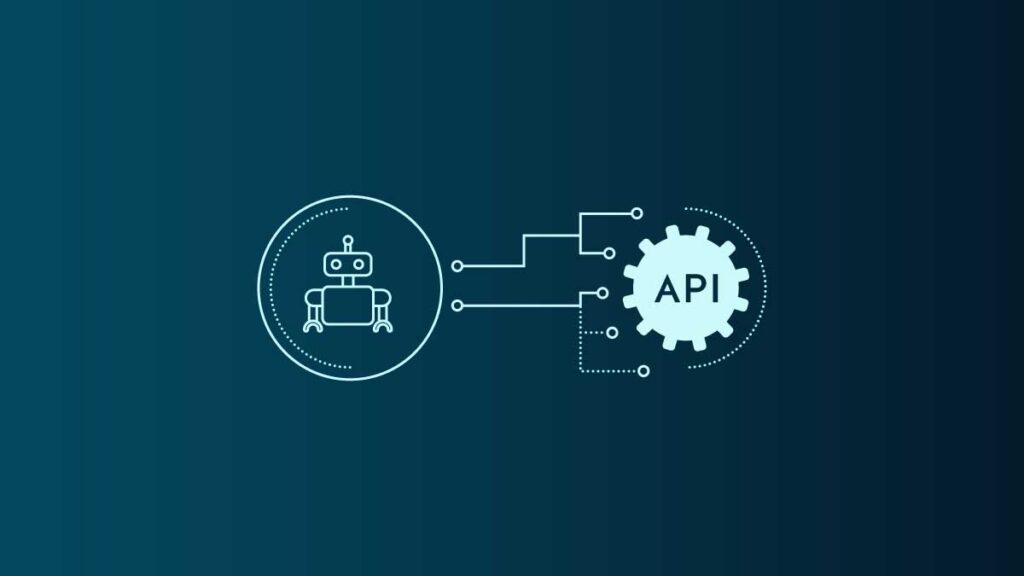
AI agents are becoming an important part of business automation because they can do more than answer questions or generate text. They can retrieve information from databases, interact with business applications, update records, analyse data, send notifications, and complete multi-step workflows. APIs and external tools make these capabilities possible by connecting AI reasoning with the software and systems businesses already use.
For example, an AI sales agent can identify a new lead, retrieve company information, check the lead's status in a CRM, prepare a personalised follow-up, and schedule a reminder for the sales team. Instead of requiring a person to perform every step manually, the agent can coordinate the workflow using connected tools, subject to the permissions and approval rules configured for it.
Understanding how AI agents use APIs and tools is essential for businesses planning to adopt AI automation. The technology involves more than connecting a language model to an API. It requires structured tool definitions, reliable integrations, permission management, workflow orchestration, error handling, and monitoring.
This guide explains how AI agents interact with APIs, how tool calling works, which integrations businesses can use, and what it takes to build secure and reliable AI-powered workflows.
What Are APIs and Tools in AI Agents?
APIs and tools allow AI agents to interact with external software and perform actions beyond their internal reasoning capabilities.
An AI model can interpret a request, understand context, and determine which action may be appropriate. However, it generally cannot directly access a company's CRM, retrieve live inventory, update an ERP record, or send an email unless it has an appropriate integration.
APIs and tools provide that connection.
What Is an API?
An application programming interface, or API, defines how one software system can request information or functionality from another system. It specifies the available operations, required parameters, authentication methods, and expected responses.
For example, a CRM API might allow an authorised application to:
- Retrieve customer records.
- Create a new lead.
- Update contact information.
- Add notes to a customer profile.
- Retrieve sales opportunities.
- Change the status of a deal.
When an AI agent needs customer information, the application can send an API request to the CRM and provide the returned information to the agent.
APIs are not limited to customer management. They are widely used in payment processing, inventory management, communication platforms, analytics, project management, and enterprise software.
What Is a Tool in an AI Agent?
A tool is a capability that an AI agent can invoke to perform a specific operation. It may be backed by an API, a database query, a code execution environment, a search service, or another controlled function.
For example, an AI agent might have access to tools named:
search_customercheck_inventorycreate_invoicesend_emailschedule_meetingcalculate_quote
These names represent illustrative functions, not standard tools that every AI agent automatically possesses.
The tool definition describes what the operation does, which inputs it accepts, and what information it returns. The application implements the actual operation and connects it to the appropriate system.
A useful distinction is that an API is an interface exposed by a software system, while a tool is an action made available to the AI agent through its application. A tool can wrap an API and make it easier for the agent to use safely.
How AI Agents Use APIs and Tools to Complete Tasks
AI agents typically combine reasoning, tool selection, external execution, and result evaluation. The exact architecture varies by framework and application, but the following process illustrates a common implementation.
Step 1: Understand the User's Request
The process begins when a user gives the agent a goal.
For example:
"Find the latest order from this customer, check whether the products are in stock, and prepare an update for the customer."
The agent needs to identify the desired outcome and determine which information is missing.
It may need to retrieve the customer's identity, locate the latest order, check product availability, and prepare a suitable response.
For complex requests, the agent may break the goal into smaller tasks and determine which actions depend on earlier results.
Step 2: Identify the Required Tools
The agent evaluates which available tools can help complete the request.
In this example, it might select a customer lookup tool, an order retrieval tool, an inventory check tool, and an email drafting tool.
Tool selection depends on the request, the available tool descriptions, the model's capabilities, and the application's control logic.
Not every request requires an API call. A straightforward question may be answered from existing context. A request involving current stock levels or order details, however, usually requires retrieving information from an authoritative business system.
Step 3: Generate Structured Tool Arguments
After selecting a tool, the model produces the arguments required to invoke it.
For example, an order lookup tool might require a customer identifier and a date range. The model proposes those values based on the conversation and the available context.
The application should validate the arguments before execution. This includes checking data types, required fields, identifier formats, access permissions, and business rules.
Structured arguments are important because an API expects predictable inputs rather than an unrestricted natural-language instruction.
Step 4: Execute the API Request
The application invokes the selected tool, which calls the underlying API or performs another authorised operation.
The API may return a successful response, an error, incomplete data, or no matching records.
The AI model does not need to execute the API request itself. In many implementations, the application or orchestration layer handles authentication, network requests, retries, and response processing.
Step 5: Interpret the Result
The returned data is passed back to the agent in a format it can interpret.
For example, an inventory tool might return the available quantity, product identifier, warehouse location, and last updated timestamp.
The agent can use this information to decide what should happen next. If stock is available, it may continue preparing the customer update. If stock is unavailable, it may retrieve the estimated replenishment date or ask a human for guidance.
Step 6: Continue or Finish the Workflow
Some requests can be completed with one tool call. Others require several dependent actions.
The agent may call another tool, evaluate a new result, revise its plan, or ask the user for clarification. Once the task reaches a defined completion condition, it returns a final response or produces the requested business outcome.
For organisations developing AI agent as a service solutions, designing this process carefully is essential. The objective is not simply to enable API access. It is to build an agent that can complete useful tasks while respecting business rules, permissions, and operational limits.
Understanding the AI Agent Tool-Calling Cycle
A typical tool-calling workflow follows a repeated cycle:
- The user provides a goal.
- The model determines whether a tool is needed.
- The model selects an available tool and proposes its arguments.
- The application validates the proposed action.
- The application executes the tool.
- The tool returns a result or error.
- The model evaluates the result and decides what to do next.
- The application returns the final answer or continues the workflow.
This cycle is sometimes called the agent loop.
The important detail is that a tool call is not the same as a completed task. Selecting a tool only indicates that the model has proposed an action. The operation must still be executed, its outcome checked, and any further steps completed.
For example, an agent may request that an invoice be created. A successful workflow should verify that the accounting system actually created the invoice and returned a valid invoice identifier. It should not tell the user that the invoice was created merely because the model generated a tool call.
This distinction is critical when agents interact with systems responsible for financial transactions, customer records, inventory, or business operations.
Common Types of APIs and Tools Used by AI Agents
The tools available to an AI agent depend on its intended purpose. A customer support agent requires different integrations from a manufacturing operations agent or an internal finance assistant.
1. CRM APIs
CRM integrations allow AI agents to retrieve and update customer relationship management data.
Common operations include retrieving contact details, reviewing sales opportunities, adding interaction notes, updating lead status, and identifying follow-up activities.
A sales agent might review a lead's previous interactions before preparing a personalised email. A customer service agent could retrieve the customer's history to avoid asking for information already available in the CRM.
CRM access should be limited to the records and operations required by the agent's role.
2. Database Tools
Database tools allow agents to retrieve structured information from approved data sources.
An agent might query customer orders, product availability, service tickets, financial reports, or operational metrics. The tool can convert a validated request into a controlled database query and return the relevant results.
Direct, unrestricted database access is generally a poor design choice. Read-only access, approved queries, parameterised statements, row-level permissions, and data filtering can reduce security and reliability risks.
3. ERP APIs
Enterprise resource planning systems contain information about inventory, purchasing, accounting, production, suppliers, and other business processes.
An AI agent connected to an ERP can help employees retrieve order status, identify stock shortages, review purchase orders, or prepare operational reports.
For example, an inventory agent could compare current stock with expected demand and flag products that may require replenishment.
The agent should not automatically approve purchases or change financial records unless the business has explicitly authorised those actions and established appropriate controls.
Businesses planning broader integrations can explore ERP solutions from Goalsr when evaluating how AI workflows may connect with enterprise operations.
4. Email and Communication APIs
Communication tools enable agents to draft messages, retrieve permitted conversation history, organise notifications, or send approved communications.
A customer support agent could prepare a response based on the customer's order information and an approved knowledge base. A sales agent might create a follow-up draft after a meeting.
Drafting and sending are different permissions. A business may allow an agent to prepare emails automatically while requiring human approval before messages are sent externally.
This separation is especially useful when communication could create contractual commitments, disclose confidential information, or affect customer relationships.
5. Calendar and Scheduling APIs
Calendar integrations allow agents to check availability, suggest meeting times, create events, and update appointments.
A scheduling agent could retrieve available time slots, identify a suitable meeting window, and create a calendar invitation after the user confirms the participants and timing.
The agent should account for time zones, calendar permissions, conflicting events, and changes made by other users.
6. Payment and Billing APIs
Payment integrations can support invoice retrieval, payment status checks, billing summaries, and other authorised financial operations.
Because these actions can affect money and financial records, they require stricter controls than simple information retrieval.
For example, an agent may be permitted to check whether an invoice has been paid but not to issue a refund without additional approval.
Sensitive payment credentials should remain in secure payment systems. The AI model should not receive raw secrets or unnecessary financial data.
7. Search and Knowledge Retrieval Tools
Search tools allow agents to locate information in approved documentation, websites, product catalogues, policies, and internal knowledge bases.
A customer service agent may search product documentation before answering a technical question. An internal HR agent might retrieve the relevant section of an employee policy.
Search results should be evaluated for relevance, freshness, and access permissions. Information found in a document should not automatically be treated as an instruction that overrides the application's security rules.
Real-World Examples of AI Agents Using APIs
The practical value of API integrations becomes clearer when they are connected to complete business workflows.
Example 1: AI Sales Agent
Consider a sales team that receives enquiries through a website.
An AI sales agent could:
- Receive a new lead notification.
- Retrieve the submitted details from a CRM API.
- Check whether the contact already exists.
- Retrieve relevant company information from an approved data source.
- Assign a lead score using defined business criteria.
- Prepare a personalised follow-up message.
- Create a CRM task for the appropriate sales representative.
The agent combines information from several systems instead of treating each activity as a separate manual task.
However, lead scoring should use relevant and defensible criteria. The workflow should also avoid sending duplicate messages or creating duplicate records when the same event is processed more than once.
Example 2: AI Customer Support Agent
A customer asks, "Where is my order, and can I change the delivery address?"
The support agent can retrieve the order through an API, check the shipping status, and inspect the rules governing address changes.
If the order has not shipped, the agent may be able to initiate an address update through an authorised tool. If the order has already entered the shipping process, the agent might explain the limitation and route the request to a support representative.
This workflow demonstrates why agents need both data retrieval and decision rules. Access to an API does not automatically mean every available operation should be performed.
Example 3: AI Inventory Management Agent
A retailer wants to reduce stock shortages.
An inventory agent could retrieve current stock levels, analyse recent sales, check incoming purchase orders, and compare demand against replenishment thresholds.
When inventory falls below an approved threshold, the agent could prepare a purchase recommendation or create a draft purchase order.
The final approval may remain with a purchasing manager, especially when supplier commitments or large expenses are involved.
Example 4: AI Finance Agent
A finance agent could retrieve invoice records, compare payment statuses, identify overdue accounts, and prepare a report for the finance team.
If an invoice appears overdue, the agent might prepare a reminder using the company's approved communication template.
Financial data should be retrieved only from authorised sources, and any changes to accounting records should follow established approval and audit procedures.
Example 5: AI Agent for Manufacturing
A manufacturing agent may connect to production planning software, inventory systems, equipment monitoring platforms, and maintenance records.
It could identify a potential material shortage, check upcoming production requirements, and alert the operations team when a schedule may be affected.
For a practical industry perspective, see AI agent development for manufacturing businesses.
In production environments, recommendations involving machinery, worker safety, or production control require appropriate validation. An AI agent should not bypass established safety interlocks or independently perform hazardous actions.
How AI Agents Choose Which Tool to Use
Providing an agent with multiple tools does not guarantee that it will select the right one. Tool selection depends on how the tools are described, the request context, the model's capabilities, and the application's design.
Clear Tool Descriptions
Each tool should have a specific purpose and a clear description of when it should be used.
For example, get_order_status should retrieve order information, while cancel_order should perform an authorised cancellation.
Combining unrelated operations into one vague tool can make it harder for the model to select the correct action and harder for developers to apply permissions.
Structured Inputs
Tools should define required parameters, accepted data types, validation rules, and expected responses.
If a tool requires an order ID, the application should verify that the identifier exists and that the user is authorised to access that order.
Structured schemas reduce ambiguity, although they do not eliminate incorrect model decisions.
Context and Workflow Rules
The application can guide tool selection through explicit workflow rules.
For example, an agent may be required to retrieve an order before attempting to change it. It may also be prohibited from issuing a refund until an authorised user approves the action.
These rules help prevent the model from skipping essential steps or attempting operations without sufficient information.
Tool Availability and Permissions
Agents should only receive access to tools relevant to their responsibilities.
A customer support agent may need order lookup and ticket creation tools but have no reason to access payroll records or administer user accounts.
Limiting the available tools reduces complexity and narrows the potential impact of an incorrect action.
API Integration Approaches for AI Agents
There are several ways to connect an AI agent with external systems. The right approach depends on the applications involved, security requirements, implementation effort, and expected workload.
Direct API Integration
Developers can build tool functions that call an external API directly.
This approach provides fine-grained control over authentication, request validation, error handling, data transformation, and permissions.
It works well when the number of integrations is manageable or when a business needs custom behaviour that existing connectors do not support.
The trade-off is that developers must maintain the integrations as external APIs, authentication methods, and business requirements change.
Prebuilt Connectors
Prebuilt connectors provide ready-made ways to integrate common applications.
They can reduce development time for standard workflows, especially when connecting familiar business tools. However, a connector may not support every endpoint or permission model required by a specific use case.
Businesses should verify which actions are supported, how credentials are stored, and whether the connector meets their security requirements.
Integration Platforms
Integration platforms can coordinate data exchange between applications, triggers, and workflows.
An AI agent may decide which operation is needed while the integration platform handles parts of the execution process.
This can be useful when an organisation already relies on workflow automation or needs to connect multiple systems without implementing every integration from scratch.
Model Context Protocol and Other Tool Standards
Model Context Protocol (MCP) is an open protocol that standardises how AI applications can discover and interact with external tools and context providers.
An MCP server may expose capabilities such as searching documentation, retrieving approved records, or invoking specific operations. An AI application can connect to those capabilities through a compatible MCP client.
MCP is not a replacement for every API. Instead, it provides a standardised layer through which compatible AI applications can access tools and resources.
The underlying systems still require authentication, permission checks, input validation, and secure implementation. A tool exposed through MCP is not automatically safe simply because it follows a protocol.
Security Risks When AI Agents Use APIs
API connectivity expands what an AI agent can accomplish, but it also introduces risks that must be addressed during development.
Excessive Permissions
An agent with broad administrative access may be able to view sensitive data or perform actions beyond its intended role.
Use least-privilege access. Provide only the permissions required for the task, and separate read-only operations from write operations where practical.
Prompt Injection
An agent may encounter malicious instructions in an email, document, webpage, or other external content.
For example, a retrieved document might tell the agent to disclose private customer information or send data to an unapproved destination.
External content should be treated as data rather than trusted authority. The application must enforce security policies independently of what the model reads.
Credential Exposure
API keys, access tokens, and other credentials should not be placed in prompts or exposed unnecessarily to the model.
Use a secure credential store, short-lived tokens where supported, restricted service accounts, and appropriate credential rotation.
Unauthorised Actions
A tool call could create a financial transaction, delete a record, send an external message, or change a business process.
High-impact operations should require explicit authorisation, human approval, or additional verification according to the organisation's risk policy.
Data Leakage
An agent might retrieve information that is irrelevant to the current task or send sensitive information to an external service.
Limit the data returned by tools, apply access controls at the source, and avoid passing unnecessary personal or confidential information into model context.
For a more detailed security framework, read AI agent security: risks, permissions and best practices. The specific controls should be selected according to the system's capabilities and risk profile.
Best Practices for Reliable API Tool Calling
A well-designed AI agent needs more than working API connections. It also needs safeguards that make its actions predictable, observable, and recoverable.
Validate Every Tool Request
Check tool arguments before making an API call. Confirm required fields, accepted values, user permissions, and relevant business rules.
Do not assume that a model-generated request is valid simply because it matches the expected general structure.
Use Human Approval for High-Impact Actions
Define which operations can happen automatically and which require confirmation.
Read-only lookups and low-risk internal tasks may be suitable for automatic execution. Payments, refunds, account deletion, sensitive data exports, and binding business commitments may require human approval.
Handle Errors and Timeouts
APIs may fail because of network interruptions, expired credentials, rate limits, service outages, or invalid input.
The integration should return a clear status and handle retryable errors carefully. The agent should communicate when an operation fails rather than inventing a successful result.
Prevent Duplicate Actions
A request may be retried after a timeout even though the original operation succeeded. Without safeguards, the system could create duplicate invoices, send repeated emails, or submit the same order twice.
Use idempotency keys when supported, unique request identifiers, and checks for existing records before repeating operations.
Monitor Tool Usage
Log relevant details such as tool names, execution status, timestamps, latency, error categories, and request identifiers.
Logs should avoid storing unnecessary sensitive data. Monitoring helps developers identify failed workflows, unexpected tool use, and performance problems.
Test Realistic Scenarios
Testing should cover successful calls, missing parameters, invalid permissions, unavailable services, duplicate requests, malformed responses, and malicious external content.
It should also evaluate whether the agent chooses appropriate tools and accurately reports the outcome.
Set Limits on Agent Autonomy
Define limits for the number of tool calls, execution time, financial impact, and other relevant resources.
For example, an agent should not continue making API calls indefinitely when it cannot find a record. It should stop, report the issue, and request additional information or human intervention.
How to Build an AI Agent That Uses APIs and Tools
A structured implementation process can help businesses avoid unnecessary complexity.
1. Identify the Business Workflow
Start with a clear business problem rather than selecting APIs first.
Define the desired outcome, the systems involved, the decisions required, and the activities that can be automated safely.
A focused workflow, such as retrieving order details and preparing a customer response, is usually easier to validate than an agent expected to manage an entire department from the beginning.
2. Map the Required Systems
Identify where the required data lives and which applications can perform the necessary actions.
Review API availability, authentication options, rate limits, documentation, data quality, and permission requirements before selecting the integration architecture.
3. Define the Tools
Create a small, focused set of tools with clear descriptions and structured input and output schemas.
Avoid exposing unnecessary endpoints. Each tool should have a defined purpose, error behaviour, and permission model.
4. Implement the Integration Layer
Build the components responsible for API calls, authentication, validation, retries, response transformation, and logging.
Keep sensitive credentials and enforcement logic in the application layer rather than relying on the model to follow instructions.
5. Add Agent Reasoning and Workflow Control
Configure the model to select relevant tools and interpret their results.
For workflows with strict business requirements, use deterministic application logic to control the sequence of actions. An agent may handle flexible interpretation, while the application enforces required steps and approval rules.
Businesses building tailored integrations can evaluate custom business software development when off-the-shelf solutions do not support their workflows.
6. Test and Evaluate
Measure whether the agent completes tasks correctly, selects suitable tools, handles errors, and follows permissions.
Use realistic test cases and maintain a record of failures so the team can improve the tool definitions, integration code, prompts, and workflow rules.
7. Deploy and Improve
Begin with a controlled rollout and monitor real-world performance.
Review completion rates, tool errors, latency, operational costs, user feedback, and the frequency of human intervention. Expand the agent's responsibilities only after the initial workflow demonstrates reliable results.
If you are planning an implementation, the Goalsr services page provides an overview of its broader service offerings. You can also contact Goalsr to discuss your business requirements.
Challenges of Using APIs and Tools in AI Agents
Although API-based agents can automate complex work, several challenges need attention.
Unreliable data: An agent cannot produce dependable results when the connected system contains outdated, incomplete, or inconsistent information. Data quality and source-of-truth rules are essential.
Integration complexity: Different APIs may use different authentication methods, data formats, rate limits, and error conventions. The integration layer must account for these differences.
Latency: Each tool call can add network and processing time. Workflows involving many sequential calls may become slow, so developers should minimise unnecessary requests and use parallel execution only when dependencies and permissions allow it.
Operating costs: Costs can include model usage, API requests, connector subscriptions, infrastructure, monitoring, and ongoing maintenance. Teams should measure the cost per successfully completed task rather than looking only at model pricing.
Unpredictable decisions: An agent may choose the wrong tool, misinterpret a result, or continue a workflow when it should stop. Structured tool definitions, deterministic controls, and evaluation reduce these risks.
Changing APIs: External services may change endpoints, authentication requirements, or response formats. Integrations need maintenance and monitoring to remain reliable.
These challenges are manageable when AI reasoning is combined with established software engineering practices and clearly defined business controls.
Frequently Asked Questions
1. Can AI agents work without APIs?
Yes. An AI agent can use local functions, approved files, databases, or other available tools without connecting to a public API. However, accessing many external business systems requires an API, a connector, or another supported integration method.
2. Does an AI agent execute API calls directly?
Not necessarily. In many implementations, the model proposes a tool call and the surrounding application validates and executes it. The result is returned to the model so it can continue the workflow or respond to the user.
3. What is the difference between an API and a tool call?
An API defines how a software system exposes functionality or data. A tool call is an invocation of a capability made available to the agent. The tool often uses an API behind the scenes, but it may also execute a database query or another controlled function.
4. Can one AI agent use multiple APIs?
Yes. An agent can use multiple tools connected to different systems, provided the application exposes those tools and grants appropriate permissions. It can retrieve data from one system and use the result to determine an action in another.
5. Are AI agent API integrations secure?
They can be designed securely, but security is not automatic. Appropriate authentication, least-privilege permissions, input validation, secret management, audit logging, and human approval for high-impact operations are important safeguards.
6. Can AI agents update CRM and ERP systems automatically?
Yes, if the connected tools support those operations and the application grants the necessary permissions. Businesses should define which updates can occur automatically and which require approval, especially when the actions affect financial records, customer commitments, or operational processes.
7. How much does it cost to build an AI agent with API integrations?
The cost depends on the number and complexity of integrations, model usage, data requirements, security controls, testing, infrastructure, and ongoing maintenance. A simple read-only assistant generally requires less work than an agent that performs multi-step transactions across several enterprise systems.
8. How can businesses prevent AI agents from making incorrect API calls?
Use precise tool descriptions, structured input schemas, server-side validation, permission checks, workflow constraints, and realistic testing. For sensitive actions, require explicit approval and verify the result before reporting success.
Conclusion
AI agents use APIs and tools to turn reasoning into practical business outcomes. They can retrieve live information, interact with enterprise software, coordinate workflows, and perform authorised actions across multiple systems. The agent determines which capability may help, while the application and integration layer handle execution, validation, security, and error management.
For businesses, successful implementation starts with a well-defined workflow, carefully selected tools, reliable API integrations, and clear limits on autonomy. Rather than giving an AI agent unrestricted access to every application, organisations should provide the minimum capabilities required to complete specific tasks and expand those capabilities as the system proves reliable.
When implemented thoughtfully, API-powered AI agents can reduce repetitive work, improve access to business information, and help teams coordinate processes more efficiently. Their long-term value depends not only on the intelligence of the model but also on the quality of the integrations, the reliability of the underlying data, and the controls surrounding every action.